 PROJECT: Assessment Tool App |
 |
| About the project: |
Mondelez International have an abundance of training available for their colleagues who work in Supply Chain. The issue was that employees could not find the training relevant to their role, or they simply did not know the training existed. The goal of this project was to create an app experience where colleagues could assess their abilities against the Skills and Competencies relevant to their job role. Depending on how they assessed themselves, the app would then show them a custom training plan (report) that would give them links to relevant training items tailored to their individual needs. Synthesia was used to create AI-generated avatar videos that would guide them through the app and the assessment process. An important part of this project was assuring the employees that any data gathered about their answers was gathered anonymously, to ensure they would feel comfortable in answering the questions as honestly as possible. This is because the app could only provide the right training for them if they are completely honest about their abilities. This anonymity of their answers was key to the project's success. The anonymous data gathered would show management and senior leaders which skills and competencies people are struggling with, which provided evidence on what the company should be spending their training budget on. |
| Services provided: |
Project concept and design standards, application design, graphic design, gathering of links to content (training items) for each skill/competency, assignment to testing teams for app testing, hosting of anonymous data capture, creation of final analytic reports on staff completion and performance. Creation of technical guides for the ongoing maintenance and updates to the Capability Check apps. |
Opening screen of app with corporate branding
NOTE: The wobbly design of the graphical elements throughout the app are part of the company's 'imperfect shapes' brand.
Intro screen
Synthesia avatar video to introduce the app. This section explained what the app does, how they would answer each question (using the Proficiency Scale), and assure the user that any data gathered is anonymous (to ensure they are honest about their answers).

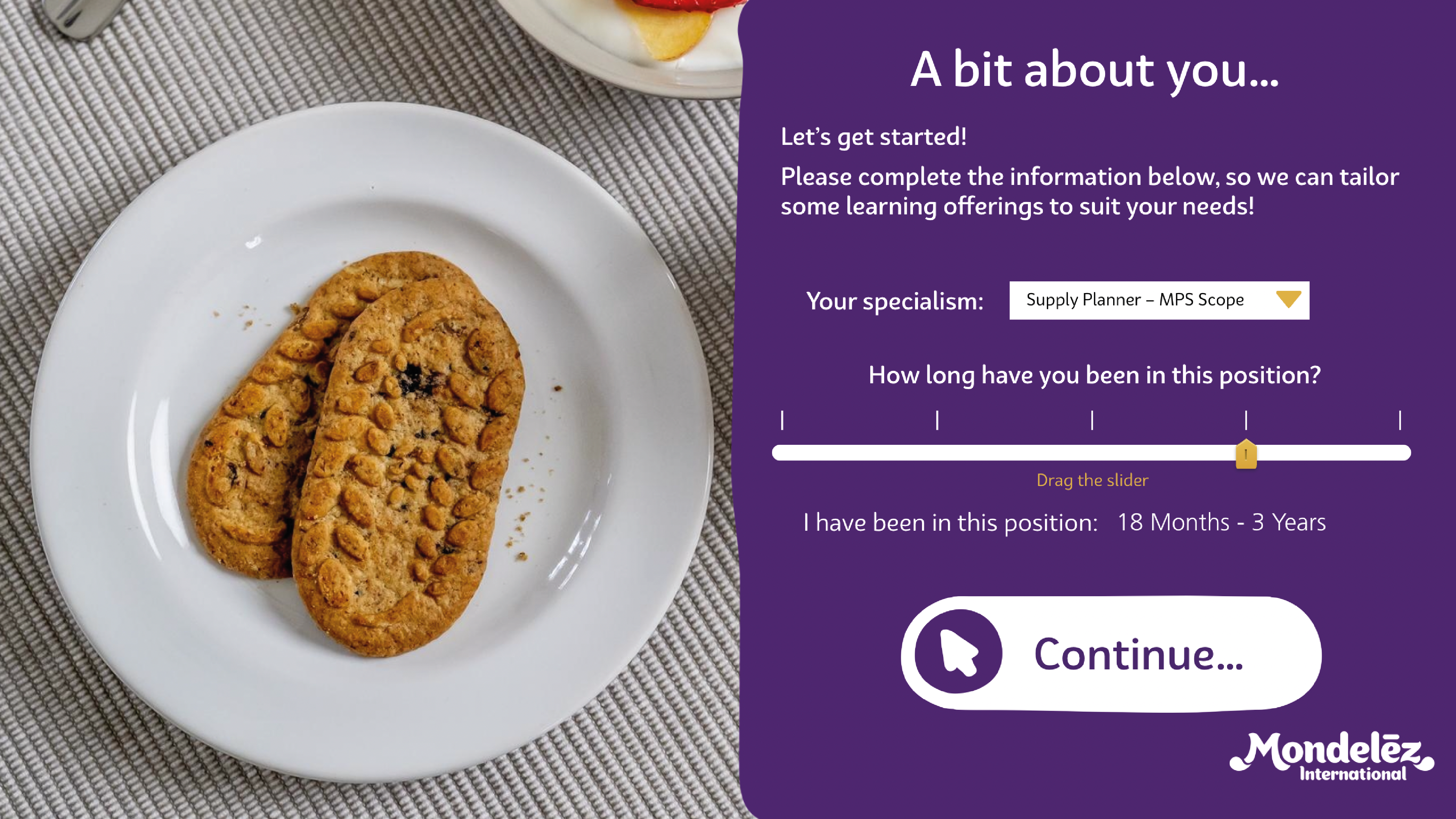
Persona setup
This screen gathered two important pieces of data about the user: what role they work in and how long they have been in the role. This set important variables like which set of skills and competencies they need to answer, and what level they should be answering at (dependent on their role duration).
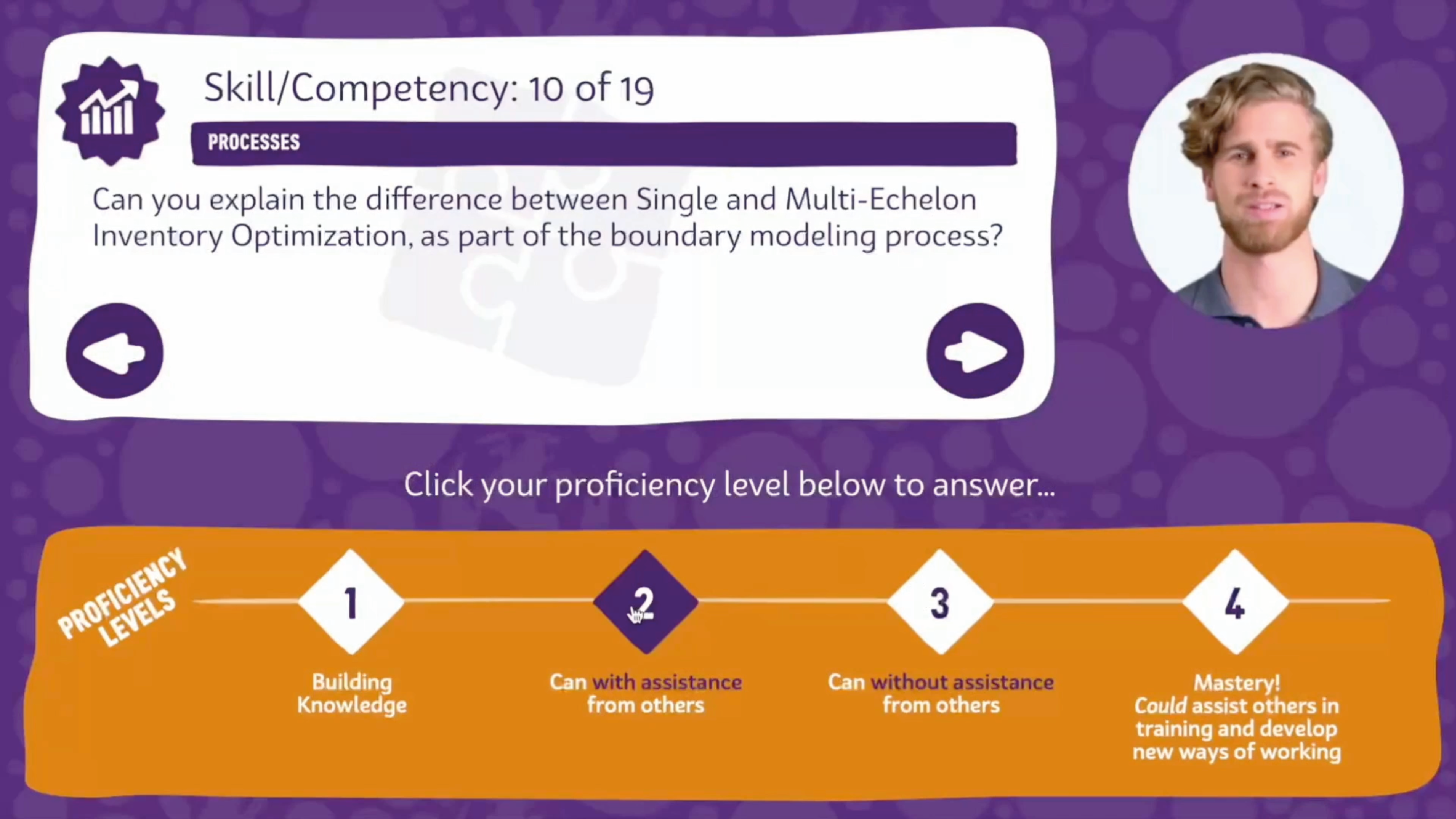
Skills and Competencies questionnaire
The user would answer each skill/competency assessment using the globally recognised 'Proficiency Scale' that can be used to measure where someone is on a learning journey.
Their report
The report was divided into pages showing an overview page, and then a list of each skill/competency, how they answered each one, what level they should be at for each one, and a custom training item for each one to get them to the level they should be.
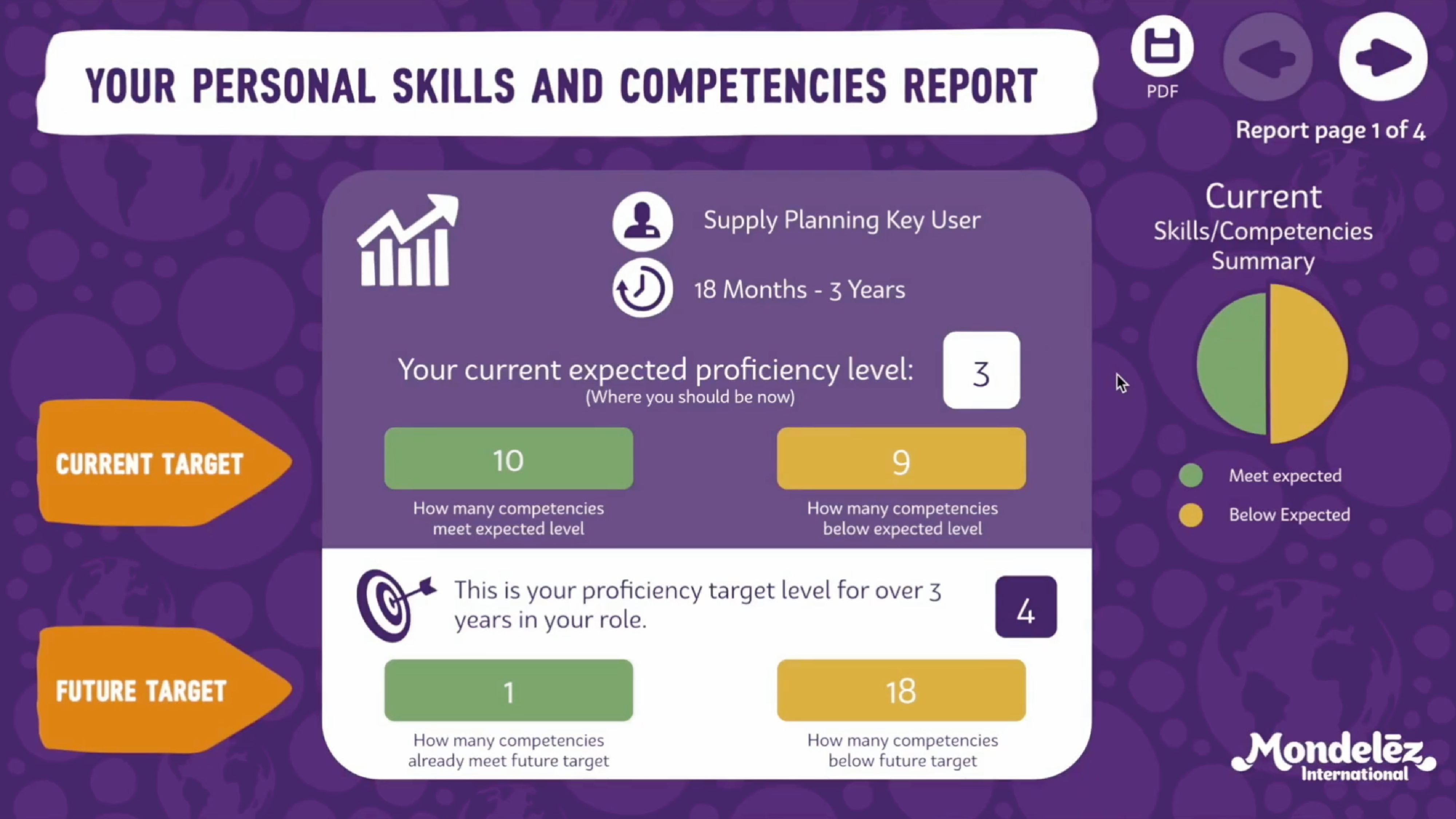
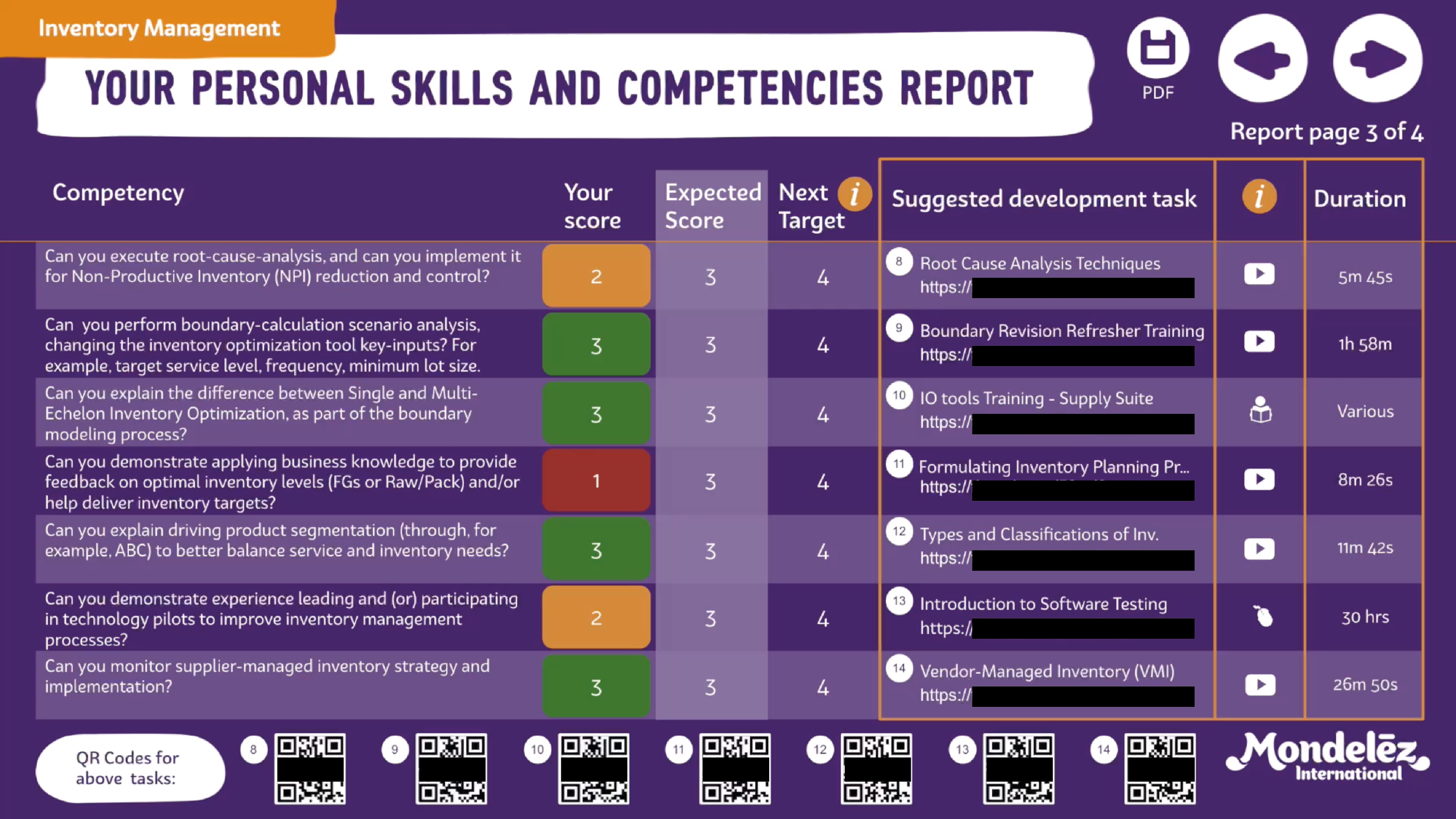
The app exported their personal report to PDF.
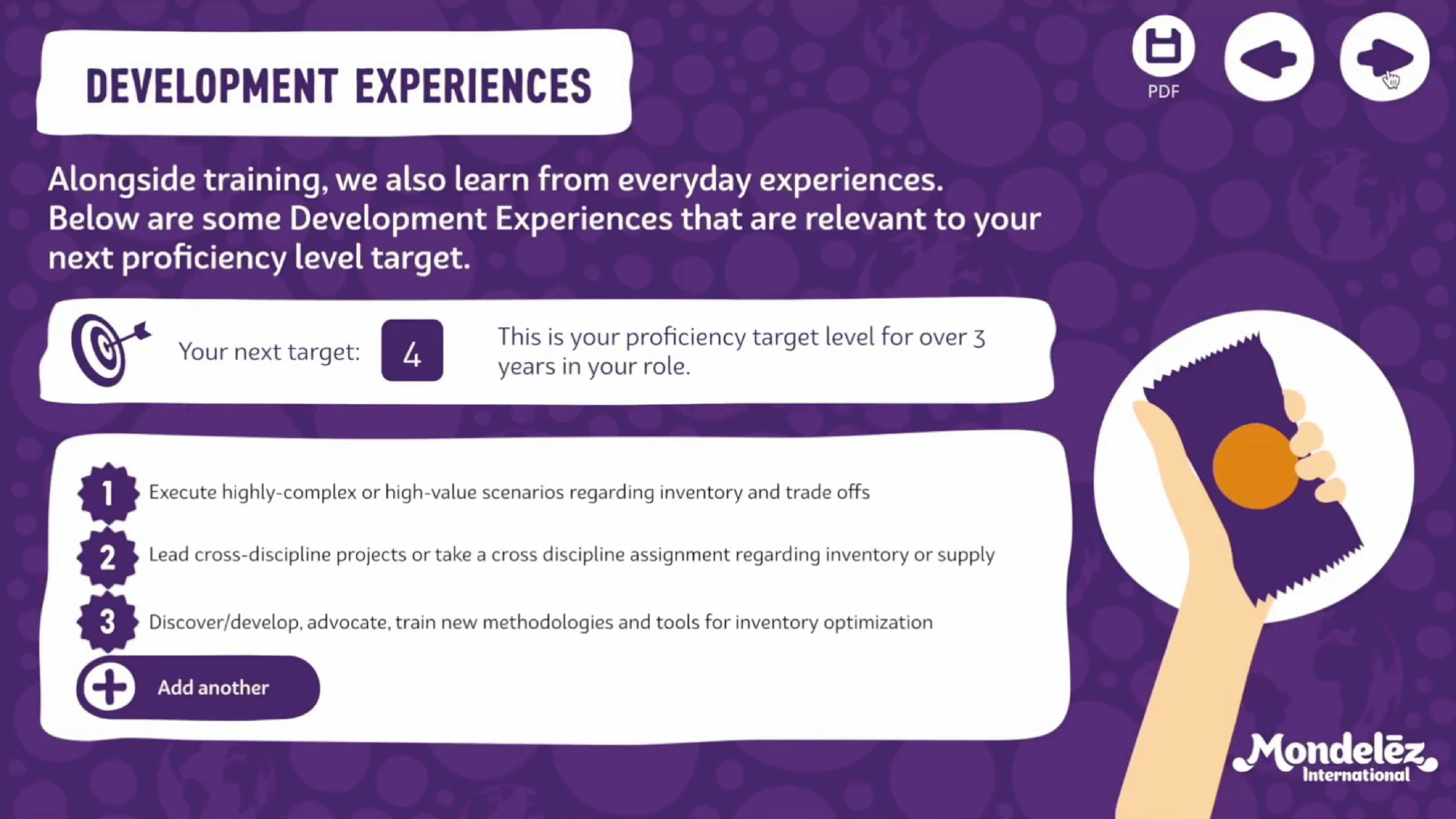
Development Experiences
As part of the 70/20/10 training model, development 'experiences' were also suggested.
Management Report
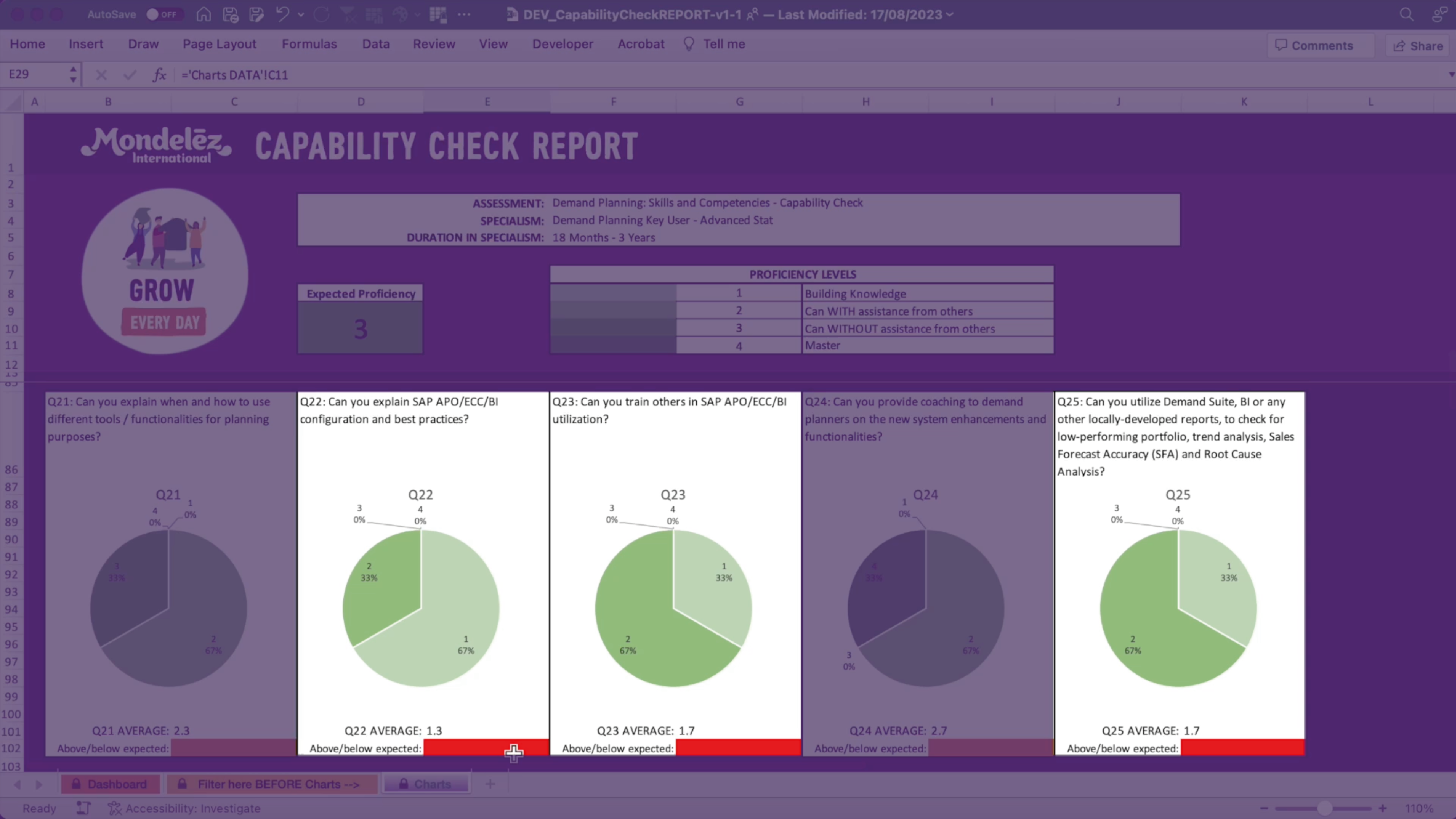
The Management Report dashboard shows an overview of how each role is preforming.
TEST DATA SHOWN
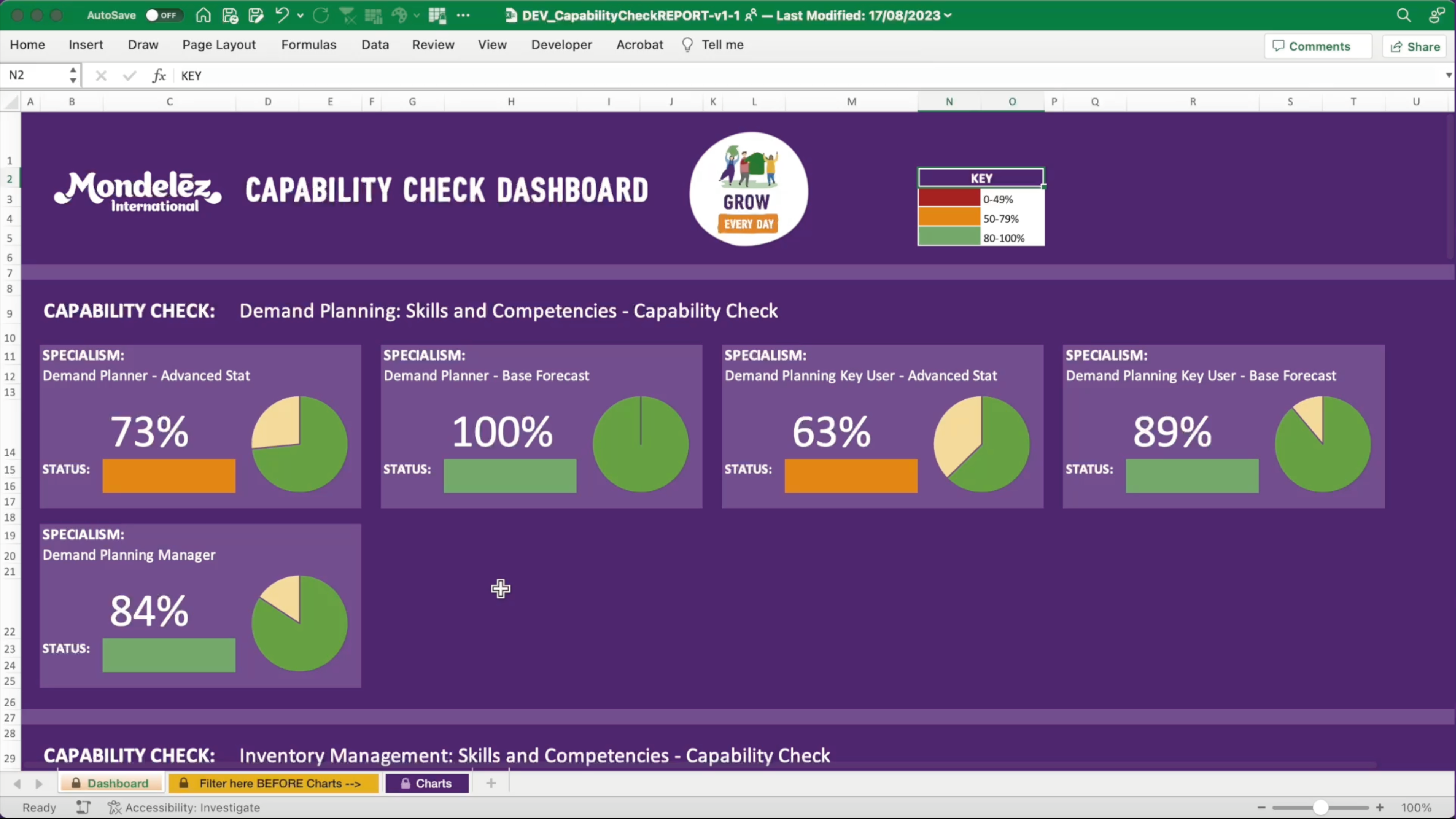
The deep-dive into the report goes down to skill/competency question to show which skills and competencies people are struggling with. This provides evidence towards training budget decisions.
TEST DATA SHOWN