 PROJECT: Simulation Example - Nationwide |
 |
| About the project: |
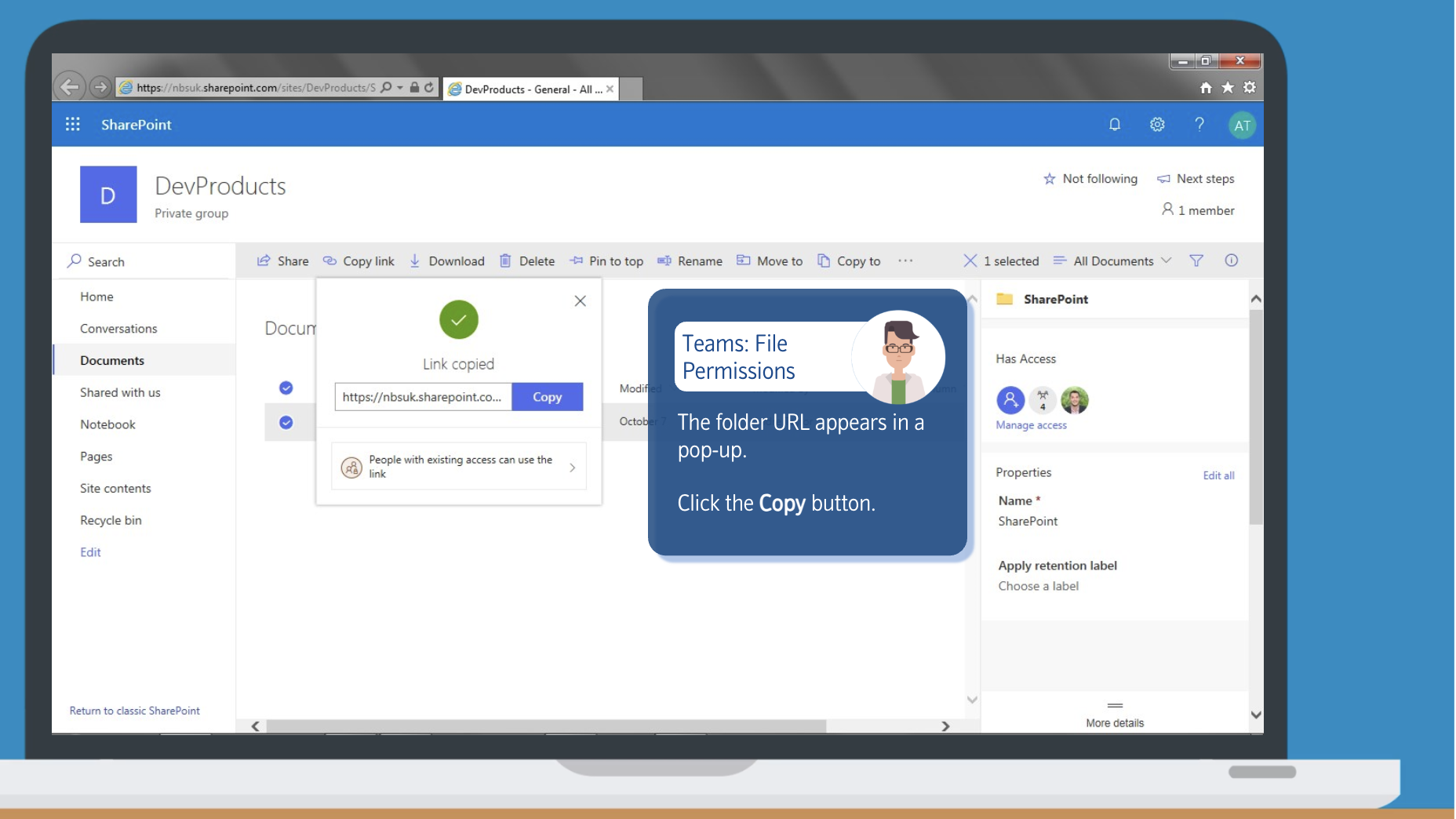
Nationwide Building Society wanted a set of training simulations for MS Teams. The simulations were to be part of a series - with each one being a piece of 'bitesize learning' on a particular topic. Each simulation was a short task, and the simulation allowed the learner to actually complete the task in a simulated Teams environment. Within each simulation, the learner sees the application (in this case, MS Teams) as they would in real life. There is a floating window on the screen with information and instructions. If the learner clicks in the wrong place or does the wrong thing, a prompt appears telling them where to click / what to do. |
| Services provided: |
Design of lessons (training script) for each simulation, graphic design, software capture, simulation build and scripting by Birdhouse Pictures. |
Simulation Screenshots
There were numerous 'bite size' simulations and each one covered a different process or procedure within MS Teams. This simulation showed how to grant file permissions.

A floating window gives instructions on what to do and where to click.
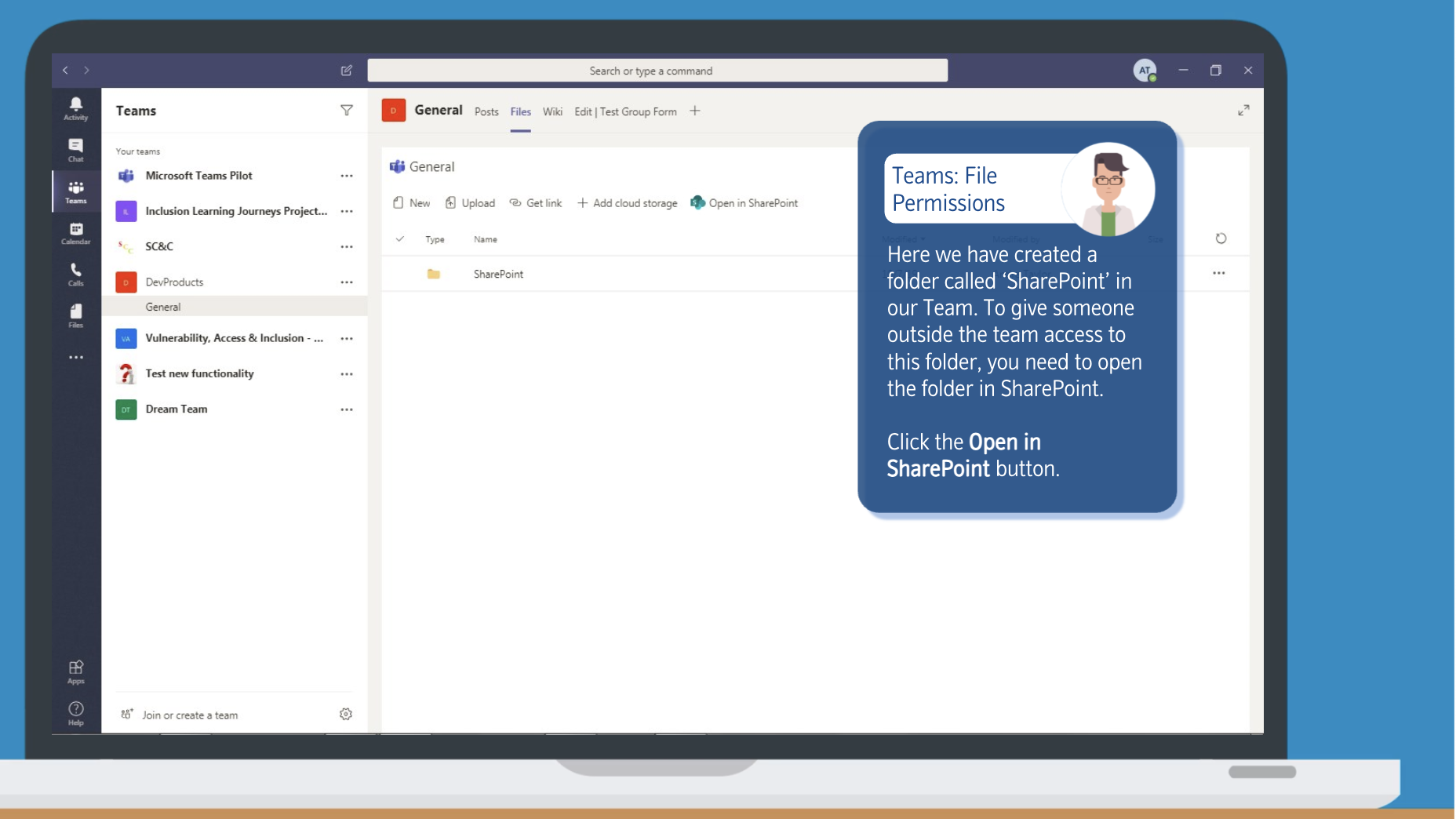
Click in the wrong place and a prompt appears telling the learner where to click.

More obscure items have a hint straight away, to guide the learner where to click.

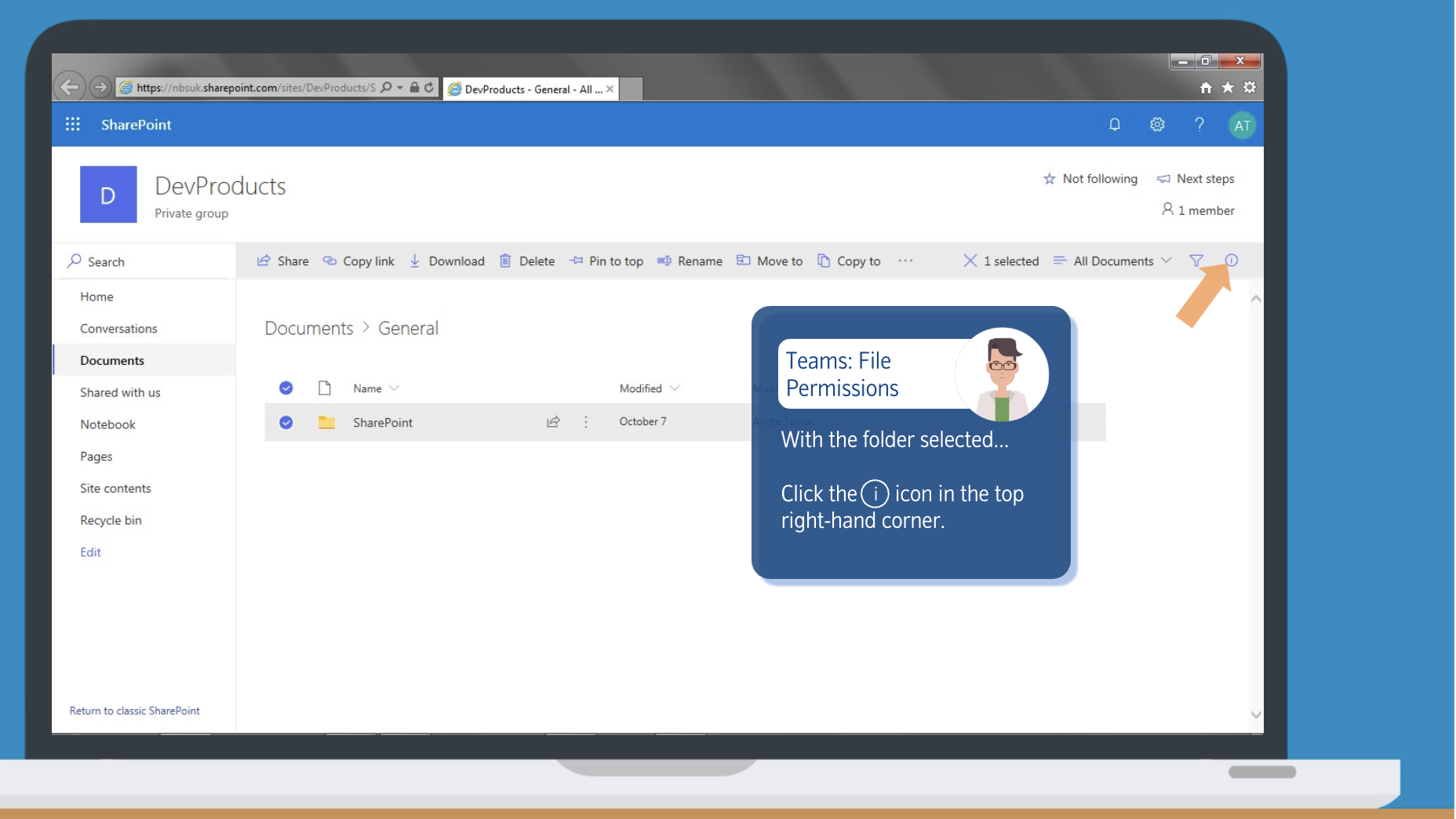
The learner works their way through the steps of the process being taught by following the prompts in the floating window.

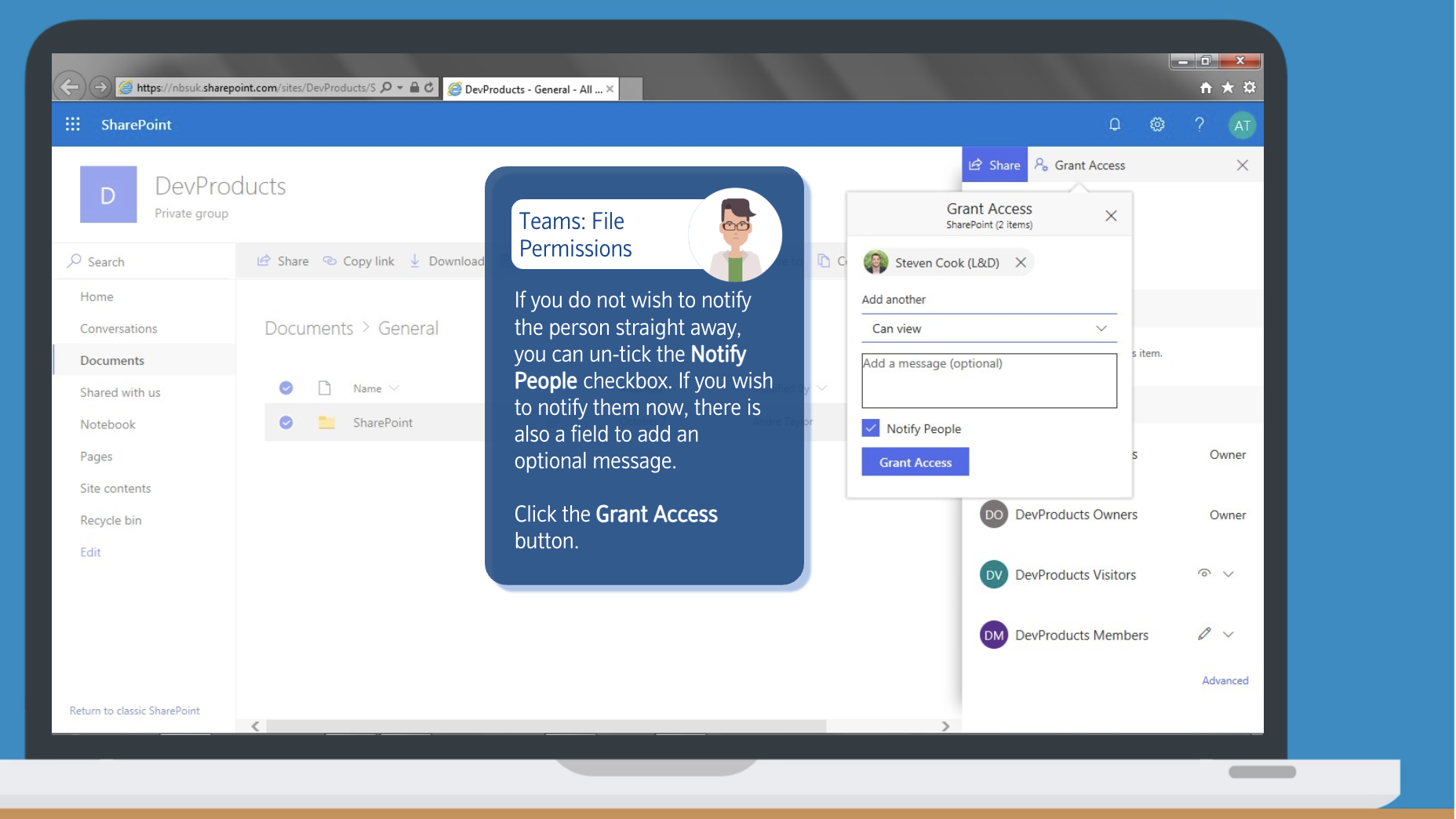
The simulation ends once the process has been completed successfully by the learner.